
Container Snapshot
The container snapshot function can one-click backup the container's configuration (runtime parameters), storage data, and image data, facilitating recovery and migration operations.
Generate Snapshot
By default, the snapshot function will backup the container's configuration and all storage directories (storage volumes or mount directories), and the backup file is stored in the /dpanel/backup directory of the panel container.
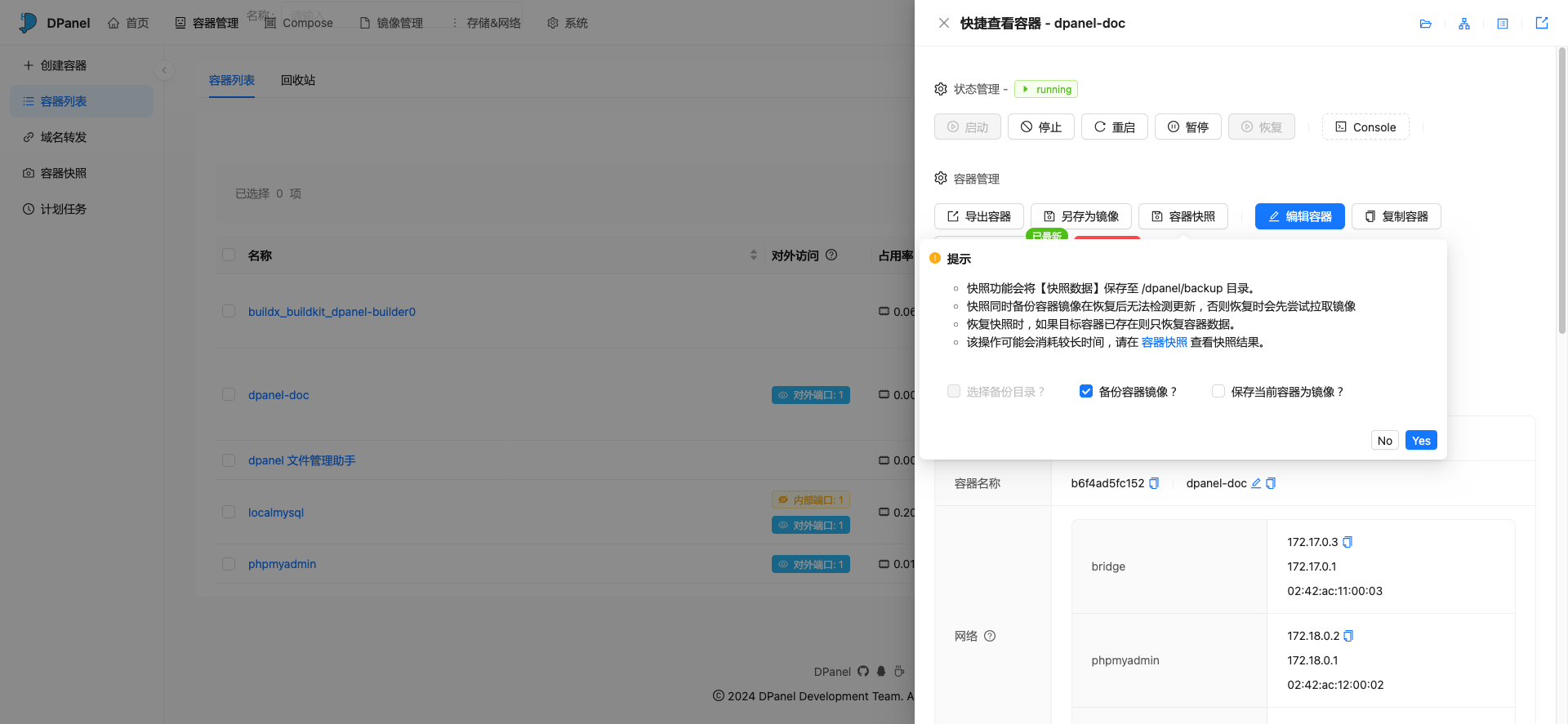
Select Backup Directory
When multiple directories or storage volumes are mounted in the container, you can use the [Select Backup Directory] function to specify the directories included in the generated snapshot.
Snapshot Image
If the snapshot does not include image data, the panel will try to pull the image from remote when restoring the snapshot. You need to ensure that the docker environment can normally pull images. If the pull fails, you can check the snapshot details and manually pull the image first.
If [Backup Container Image] is checked when generating the snapshot, the panel will import the image first when restoring and then create the container. At this point, the image used by the container is a locally imported image and cannot detect whether there are updates remotely.
If you have modified the container's non-mount directory data, when snapshotting, you can also use [Save Current Container as Image] to commit the container as an image first before performing snapshot backup. At this point, the image used by the container will be named with [Original Name + Backup Date].
Snapshot Container Network Conflict
By default, the snapshot function will also backup the container's network information together. When restoring, network conflicts may occur. For example, if the test network subnet used by the snapshot container is 172.18.0.0/16, when restoring, if a network using the same subnet already exists, the panel will not be able to create the network in the snapshot.
You need to manually create the snapshot's network or delete the test network.
Docker Version Compatibility
Check through the docker version command. Although the panel maximizes compatibility with differences in different versions, it still cannot achieve 100% compatibility. To avoid unnecessary trouble, please try to keep the versions consistent.
# Ensure Version and API version are consistent.
# docker version

Client:
 Version:           27.0.3
API version: 1.46Import Snapshot
Pro version supports manually importing snapshots into the current docker environment.