
Image Registry Management
When pulling images from image registries, if no registry address is specified (for example dpanel/dpanel), they are pulled through Docker Hub. If a registry address is specified (for example registry.cn-hangzhou.aliyuncs.com/dpanel/dpanel), it is pulled from Alibaba Cloud's registry.
For most image registries with anonymous pull permissions, there is no need to add a registry. You can directly specify the registry address in the image address. For registries that require permissions or when you want to push images, you need to add the registry in the image registry and configure permissions.
Error response from daemon:
pull access denied for registry.cn-hangzhou.aliyuncs.com/******/,
repository does not exist or may require 'docker login':
denied: requested access to the resource is deniedDANGER
Repository username and password configured through the docker login command will not take effect in the panel and need to be reconfigured.
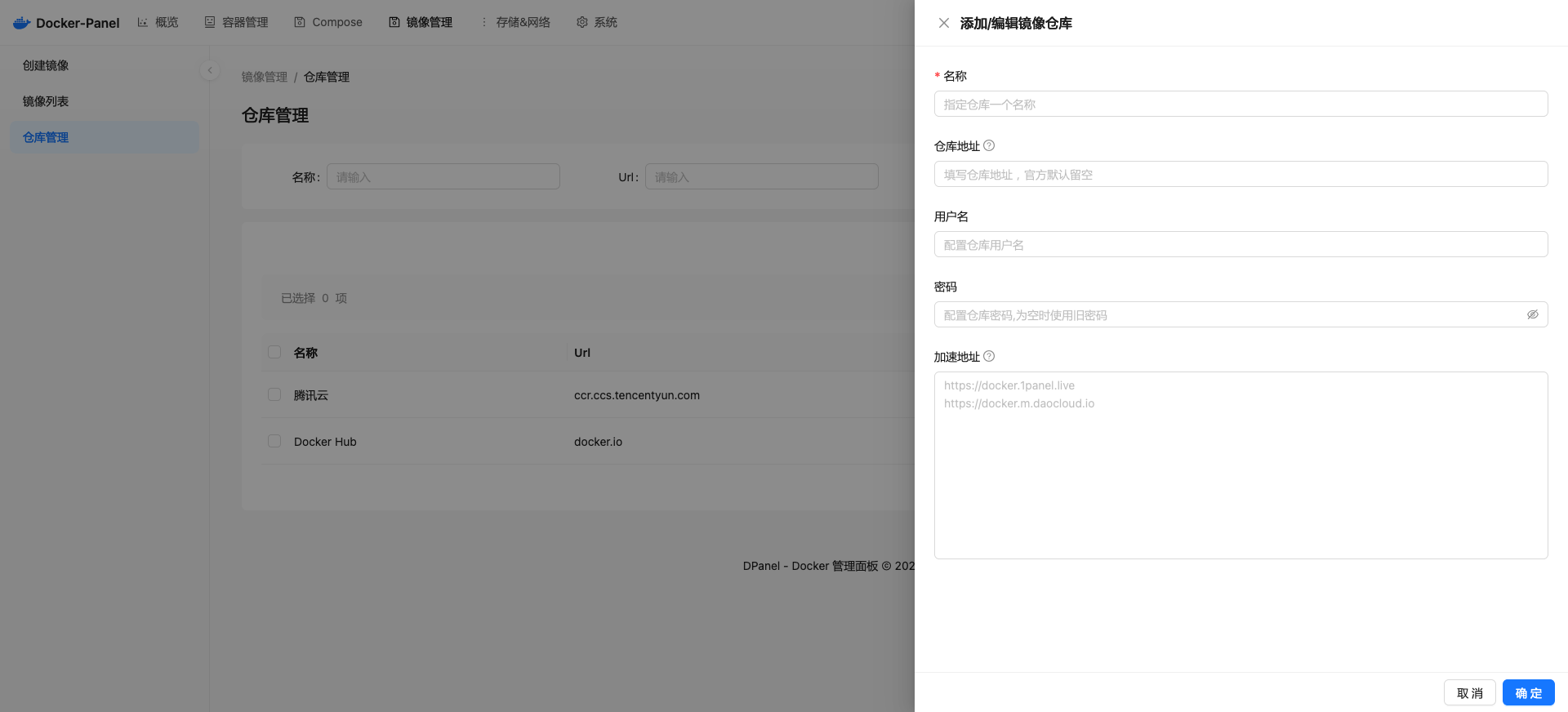
Add Registry
Docker Hub
The DPanel panel will automatically create a Docker Hub registry record and set it as an anonymous user.
Local Registry
For a locally built Registry repository, you need to enable the HTTP protocol and configure insecure-registries in daemon.json to enable HTTP connection for the repository.
Alibaba Cloud
Registry address: registry.cn-beijing.aliyuncs.com
Tencent Cloud
Registry address: ccr.ccs.tencentyun.com
GitHub
Registry address: ghcr.io
Red Hat
Registry address: quay.io
Acceleration Address
TIP
When configuring an acceleration address for a registry, the acceleration address only takes effect for the current registry.
You can configure multiple acceleration addresses, one address per line. The panel will prioritize the fastest address when pulling.