
App Store DPanel Version >= 1.3.0
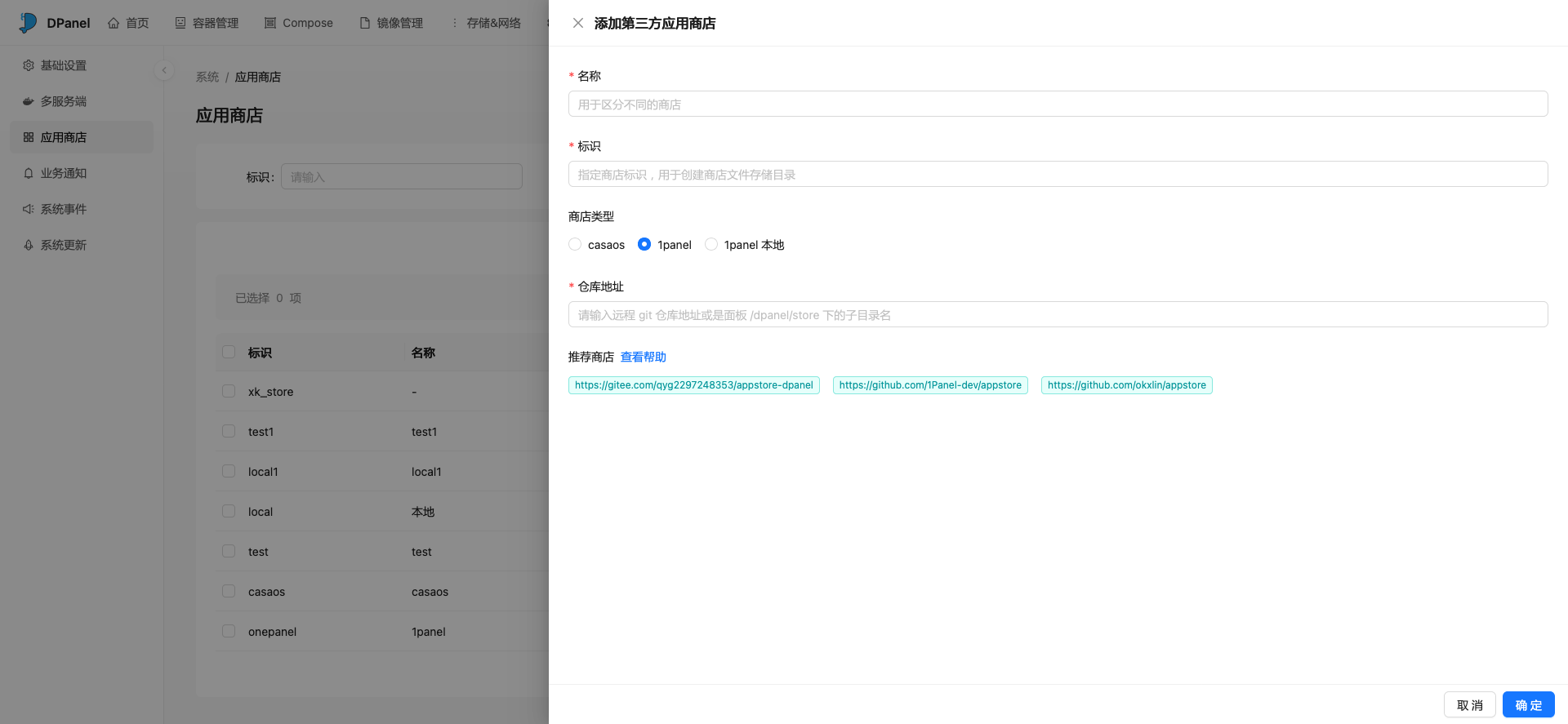
Add Third-Party App Store
DPanel panel supports adding multiple app stores simultaneously
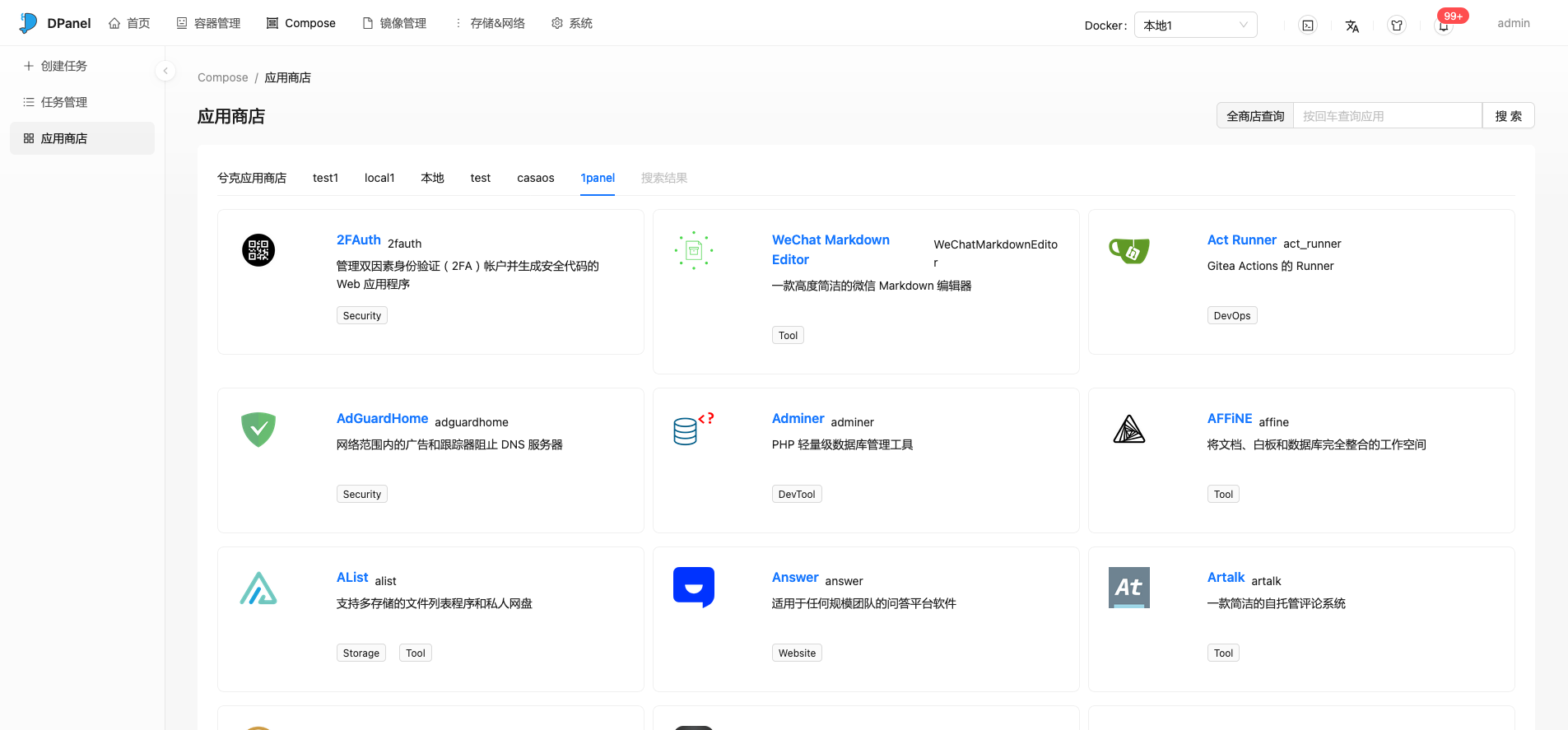
Create an app store through [System] - [App Store] - [Add Third-Party Store]. After creation, the [App Store] menu will be displayed in the [Compose] menu.
Sync Remote Store Data
After adding an app store in the DPanel panel, the application data in the store will be saved offline to the panel container's /dpanel/store directory. You can manually update the data in the remote repository to the local directory through the [Sync] function in the [App Store] list.
Supported Types
As long as it complies with Docker Compose specifications, it can be integrated into DPanel's third-party app store. Everyone is welcome to submit Issues to enrich the third-party app store. Currently, the following two types of stores are supported:
| Store Type | Example Address | Description |
|---|---|---|
| 1panel | https://github.com/1Panel-dev/appstore | Specification Description |
| 1panel local | https://github.com/1Panel-dev/appstore | Allow creating stores that comply with 1panel app store locally |
| CasaOS | https://play.cuse.eu.org/Cp0204-AppStore-Play.zip | Specification Description |
Search All Stores
When using multiple different app stores, it's inevitable that the same or similar applications will appear. DPanel panel provides a function to search all stores, making it easy to quickly find the applications you need.
Self-Built Store
For some highly personalized applications, you can implement your own app store by adding a [1panel local] type store.