
Create from Existing Container
Retain Original Image Configuration Parameters of Container
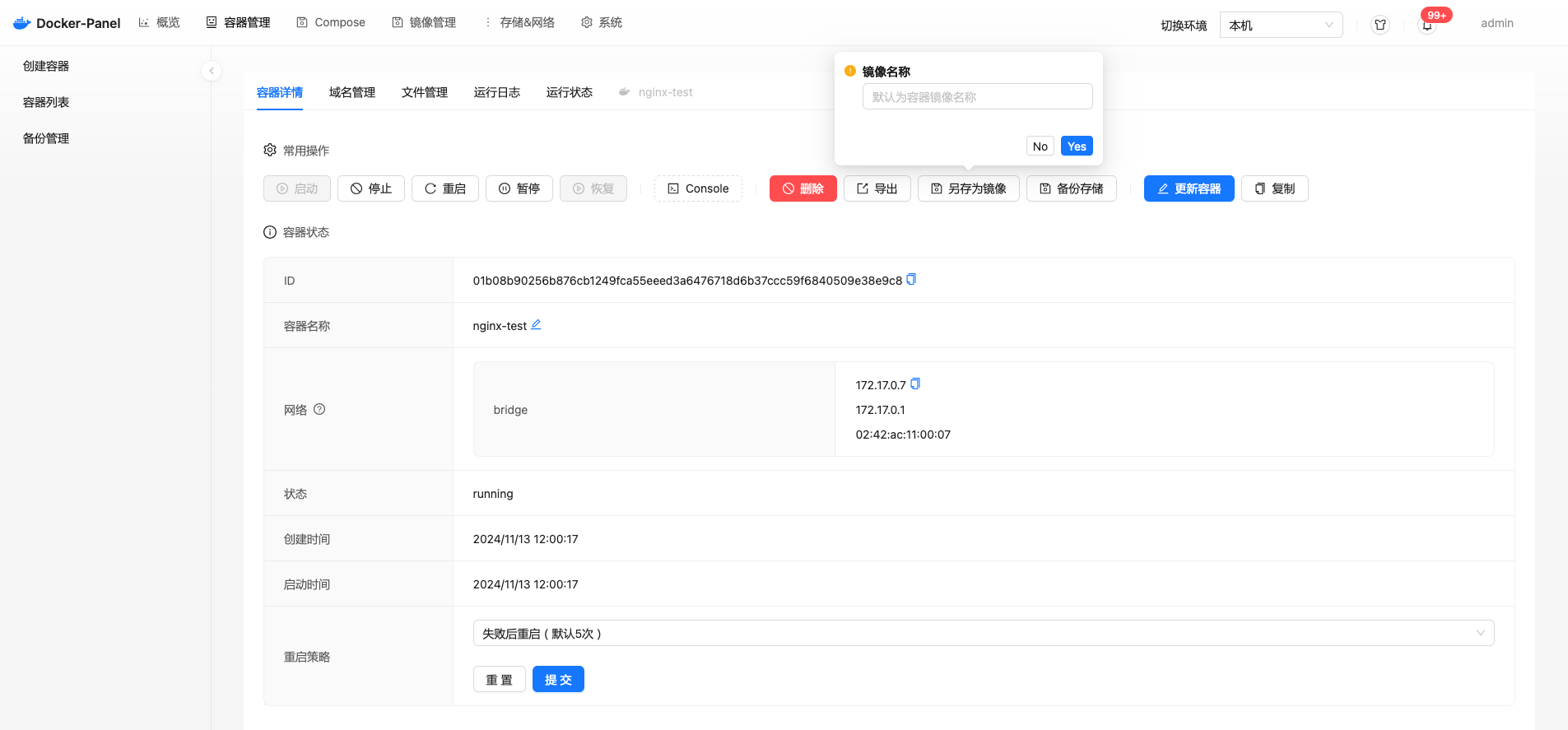
Retain files changed or added in the container, and retain the original image's runtime parameters of the container. Save the container as an image through the [Save as Image] function in the container details page.
Change Image Configuration Parameters
If a container based on ubuntu or alpine systems is directly saved as an image, it will lack parameters such as entrypoint, expose, etc. You need to build an image by exporting and importing the container Tar package.
Difference from Dockerfile Build
Dockerfile records commands first, then executes them during build. Using this method converts the execution result into an image.
Persistent Storage in Container
When exporting a container, persistent directories cannot be exported. In most cases, this method is more suitable for building your own image from a base image.
Image Configuration
CMD
When creating an image by exporting a container, you must specify the startup CMD command, otherwise the container created from this image cannot start normally.
WorkDir
Configure the working directory of the imported image, generally specified to the directory where the program runs, such as /app, /home.
Exposed Ports
Configure the ports that the imported image needs to expose to the outside. Configure one port per line, for example: 9000
Environment Variables
Configure environment variables that users need to configure for the imported image, generally used to configure external dependencies such as databases, redis, etc.
Storage Volume Directories
Configure directories that the imported image needs for persistent storage, generally used to configure attachment storage directories.